Baryta 1.0 for Blender 5 and OpenColorIO.See pricing
Baryta
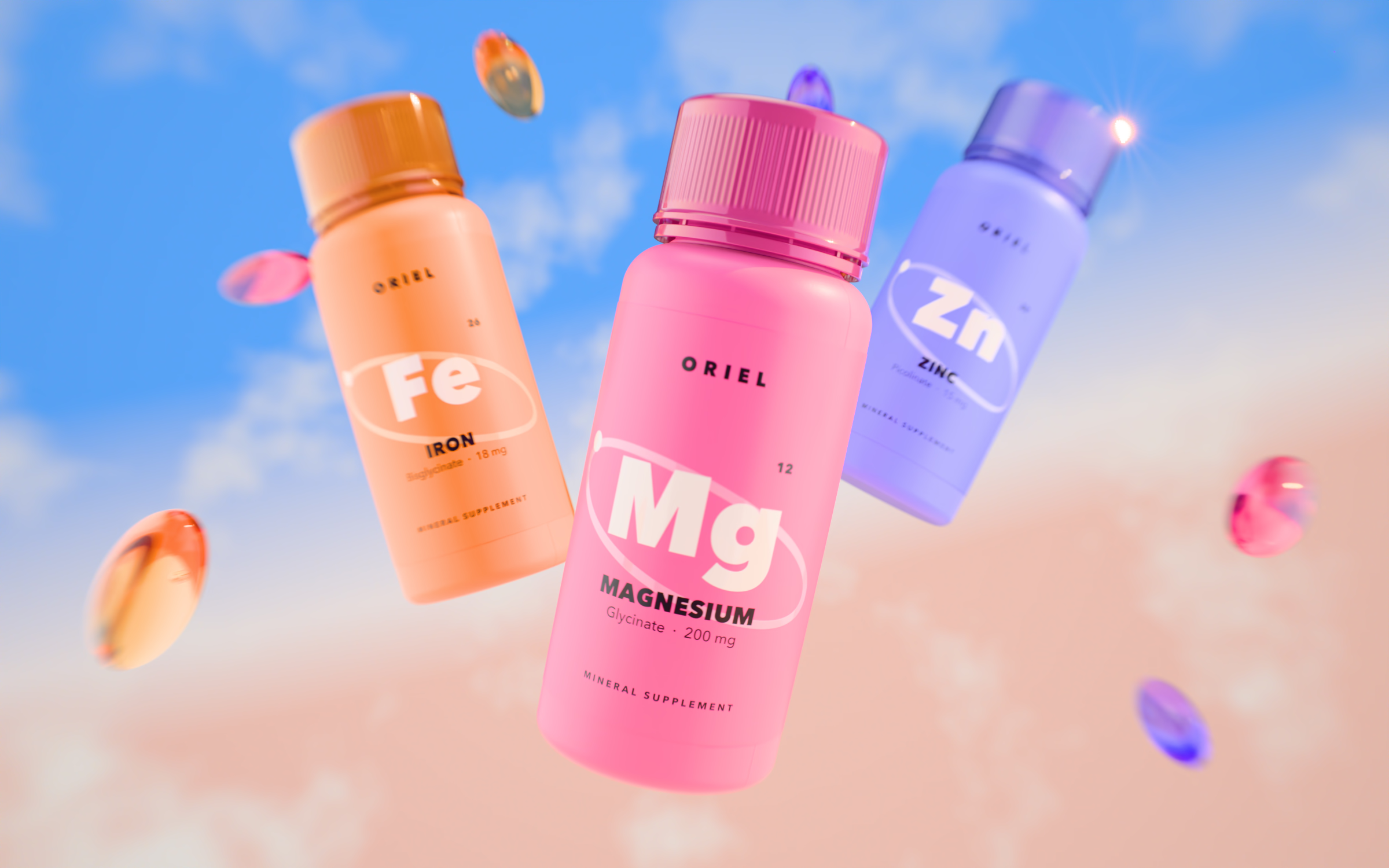
Three supplement bottles and a few softgels floating against a golden-hour sky, rendered in Blender and developed through Baryta

Renders that come out finished.

A view transform for product renders. Colors hold their hue, blacks go deep, highlights reach sparkling bright and gradation stays smooth, so the render is finished without a grading pass.

For renders that are already correctly exposed · Blender 5.0+ · OpenColorIO 2 · macOS, Windows, Linux · one-time purchase

Three supplement bottles and softgels against a blue sky, developed through Baryta
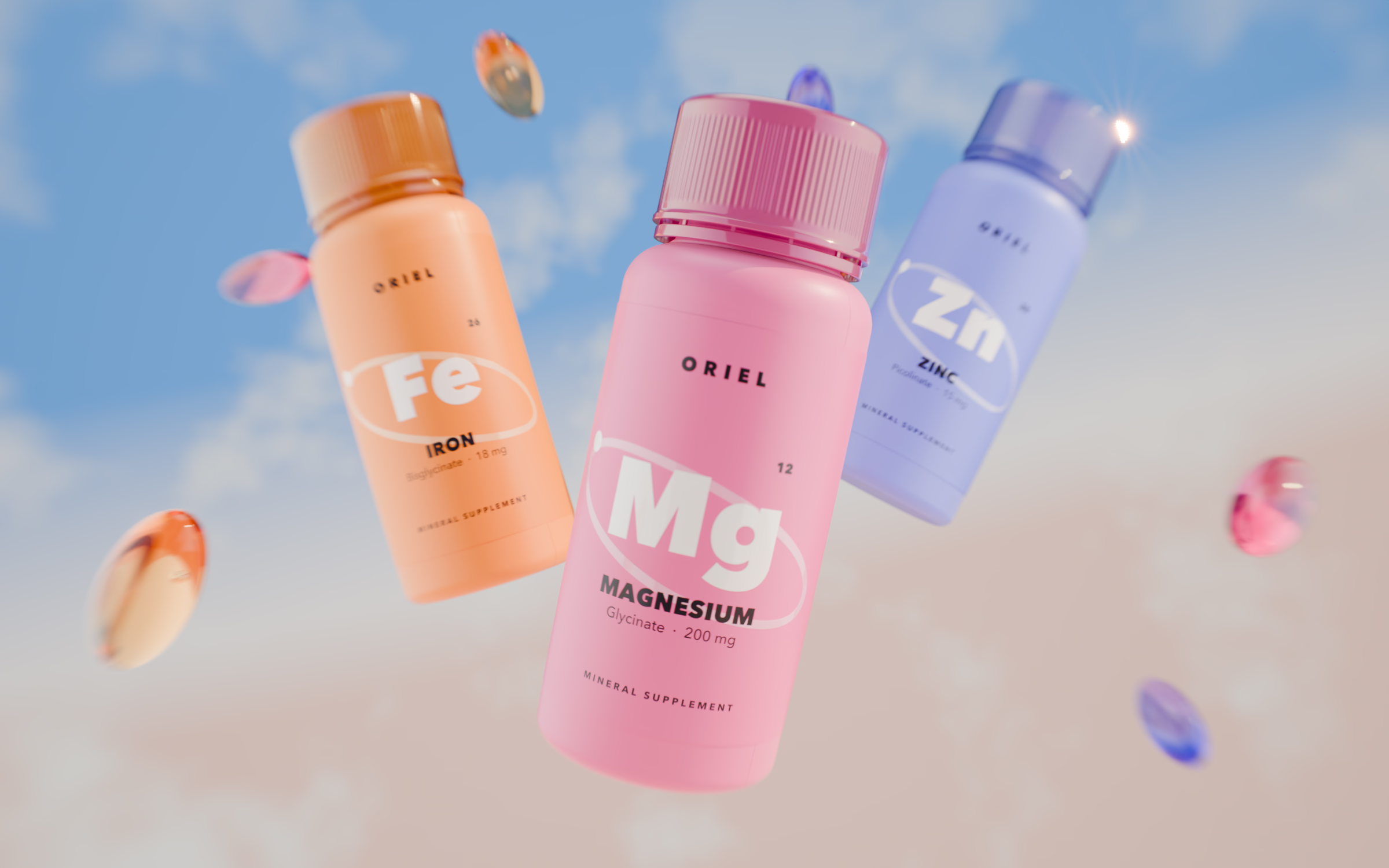
The same render developed through AgX Medium High Contrast
AgX Medium High Contrast Baryta

Open a linear EXR from Blender or any other renderer and compare it here. Your file isn’t stored.

What it does

Hue
Colors keep their hue as they get brighter, so brand colors come out the color they were printed.
Light colors
Pale and pastel colors keep nearly all their saturation, where AgX loses a third to half of it.
Blacks
Shadows go properly black, so a dark product looks dark instead of grey.
Highlights
Speculars and glints reach full, sparkling white, the way they do in a photograph. AgX and ACES 2.0 stop them short in grey.
Gradation
Tones roll smoothly from shadow to highlight, with no hard edge where the brightest areas clip.

Looks

Look None is complete on its own. The four looks are for renders whose lighting already sets a mood, and each one pushes that mood further.

Low Key
For dark, moody lighting. Shadows and the set go deeper, and lit surfaces stay as they are.
High Key
For bright, white sets. Whites read as white rather than light grey, and shadows stay where the lighting put them.
Smooth
For soft, even light on ceramics, fabric or skin. Midtones relax, and the image still reaches full black and white.
Matte
For an editorial, printed feel, with lifted blacks and softer highlights.

Install

Blender

  1. Drag the zip into Blender. Click OK.
  2. Preferences › Add‑ons › Baryta › Install Baryta view transform. Restart.
  3. Color Management › View Transform › Baryta.

Other applications

Point the application at config.ocio. The readme lists the setting for each host.

Specifications

Views
Baryta: sRGB, Display P3, Rec.2020. Baryta HDR 1000: Rec.2100‑PQ, Rec.2100‑HLG.
Looks
Low Key, High Key, Smooth, Matte.
Blender
5.0 and newer. Cycles, EEVEE, Workbench. Stock views untouched; nothing inside Blender is written.
OpenColorIO
Self-contained config.ocio for OpenColorIO 2 hosts and render farms.
Platforms
macOS, Windows, Linux.
Download
30 MB Blender, 27 MB OpenColorIO.
Version
1.0.0.

Pricing

Individual

$29

  • The Blender extension and the OpenColorIO configuration
  • All five displays, SDR and HDR 1000
  • All four looks
  • Lifetime updates
Buy on Superhive Buy on Gumroad

Studio

$99

  • Everything in Individual
  • For a whole studio: every artist and machine
  • Command-line install for render farms
Buy on Superhive Buy on Gumroad

Sold through Superhive and Gumroad. Refunds follow the store’s policy.

Questions

What is in the download?
Both packages, built from one transform: the Blender extension and an OpenColorIO configuration.
Which render engines?
Any of them. Baryta works on the image after the engine is done, so Cycles, EEVEE and any renderer that outputs through OpenColorIO all work.
What happens when Blender updates?
Baryta stays. At every start the extension refreshes its copy of the colour configuration when an update changed it.
HDR?
Yes. Baryta HDR 1000 on Rec.2100‑PQ and Rec.2100‑HLG.
Uninstall?
One button. Blender’s own files are never touched.